Home > Help > Areas

Areas in CEWE MediaAssets

In order to manage our more than 250,000 available assets in a structured way and make them easy to find, there are different areas.

Assets are stored in the general pool of files and can be found from there using filters.

For efficient pre-sorting and focussed searching, the system also offers various areas in which assets of a specific category can be found.

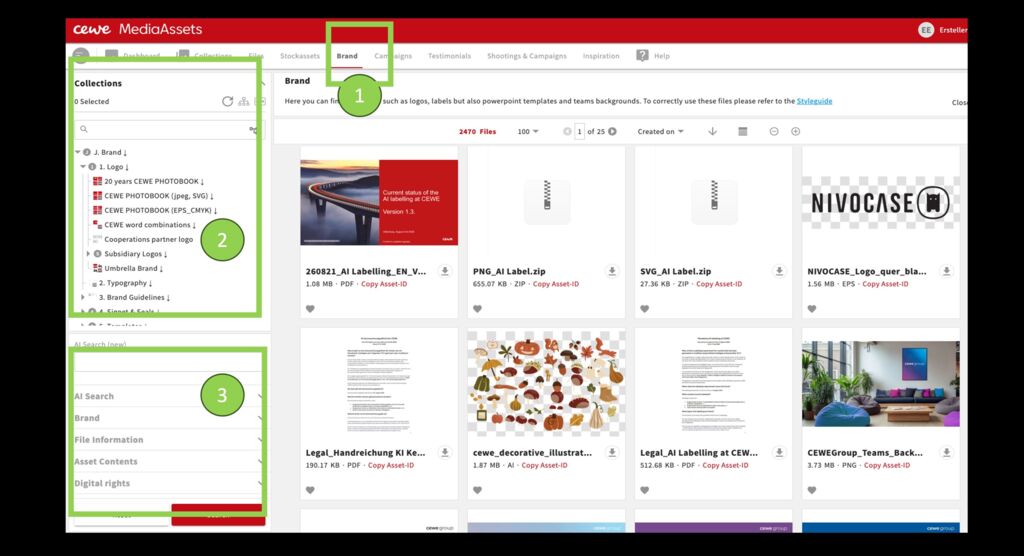
A collection structure shows thematic collections assigned to this area. Further filters refine the search.

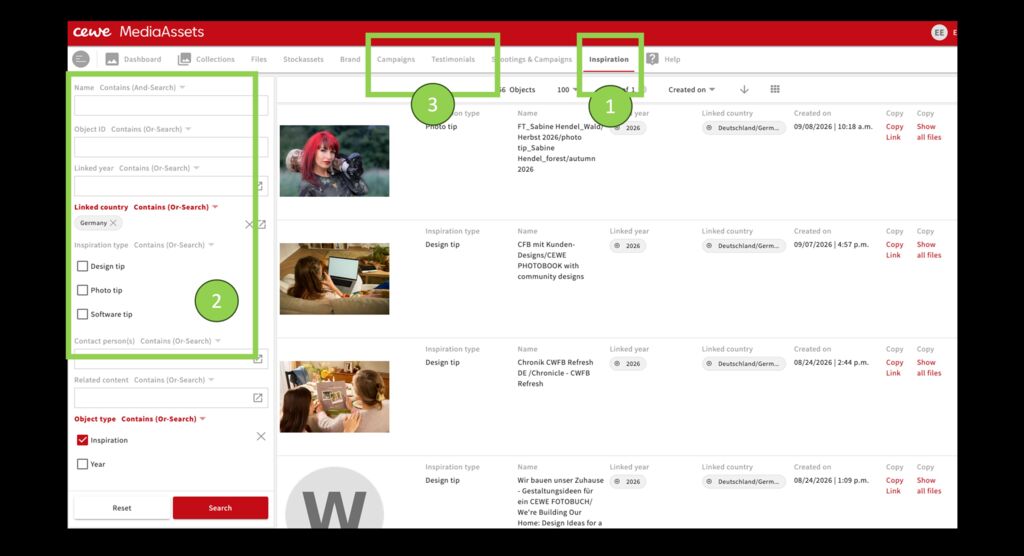
1.Example area Shooting and Campaigns

2.Top left: collection structure for this area (grey dots indicate an empty collection as header).A click on the arrow shows the sub-collections.

  1. Further filters that correspond to the area

What kind of assets can be found in the different areas ?

Files

This is a general search area in which you look for most of the files contained in CEWE MediaAssets using all existing search filters and the overarching collection structure.

This area is automatically filtered by: asset type stock assets, brand assets, graphic assets, shooting assets

Brand

Here you will find materials for the CEWE brand as well as trading partners, subsidiaries, cooperation partners and other external materials. You can use the structure and/or the search filters here to find logos, templates, seals, key visuals and much more. The materials can be filtered by language and product, for example.

This area is automatically filtered by: Asset type brand assets.

DFM & CEWE instant photos

This area contains images from and for the CEWE photo station, design templates, other POS content and special assets for marketing instant products.

This area is automatically filtered by: Channel DFM

Corporate

Here you can find content for CEWE's corporate communications, both for external and internal use. There is content on topics such as sustainability and sponsorship, PR content, event recordings, internal advertising materials, etc.

This area is automatically filtered by: Corporate Communications Channel

Print Media

Print Media includes all content intended for print (or digital displays), from brochures and flyers to posters and airport advertising.

This area is automatically filtered by: Channel Print media.

Online Marketing

Here you can find everything relating to Online Marketing. The contents are stored per country and hold sub- categories such as Google shopping and Social Media. Material in this areas is labled as asset types "Webassets".

Customer samples

Customer samples are available as PDF. MCF formats can be requested. They are mostly used in CEWE Magazine/ Fotozeit, in software tipps or lifestyle articles.

Stockassets

In the stock assets area you can search for photos, videos, illustrations, etc. from stock image portals such as Getty and older content from Fotolia and Thinkstock.

Content from CEWE People and creative shootings, which can be used like stock assets, also appears here. Most of the stock assets are freely usable.

This area is automatically filtered by: Asset type Stock assets.

Shooting & Campaigns

Here you can use the collection structure to find assets from shootings: people-, product-, location and production shootings and much more.

If you want a shooting to be added, please get in touch.

In addition, the content for the campaigns is collected and shared here, i.e. image pools, retouching, etc.

The third option in the structure is the content from the TV campaign shoots.

This area is automatically filtered by: asset type shooting assets, graphic assets, brand assets, web assets.

Photo awards

In this area you will find assets from various photo competitions, mainly from the CEWE Photo Award. The use of these assets is mostly limited to reporting or advertising the photo competitions. There are also individual marketing materials for the photo competitions here.

This area is automatically filtered by: *Asset type photo competitions. *

Webassets

This is where all web cuttings and working materials such as Photoshop files created for use on web pages (COPS 5) are located.

In addition, there are icons, module templates, placeholders, etc. (in the structure under "a. All countries").

This area is automatically filtered by: Asset type Webassets.

Product quality

This area is visible to colleagues creating test orders. There are stock images and specially uploaded content that are used to carry out product tests. If you need access to this area, please get in touch.

This area is automatically filtered by: Asset type product quality test assets and stock images.

Newsletter

Newsletter files can be found here. The contents are stored per country. In addition to the structure, the search options can be used to filter by product or language, for example. Material in this areas is labled as asset types "Webassets".

Graphic Design

In this area, designers can store special work files that are neither in the Shooting area nor the Web assets area. For example, retouched originals in other languages / for European websites, which can be accessed for further web editing.